Skip to content
sec · 01 / almanac kept · daily
Cloudflare · App Store · Stripe

Your vendors forget.
Almanac keeps it.

Cloudflare deletes your real-user data after seven days. Almanac writes down your web vitals, App Store downloads and Stripe payments every day, keeps them in your private iCloud, and tells you why any number is missing.

Mac · iPhone · iPad macOS 26 · iOS 26 v1.0.2
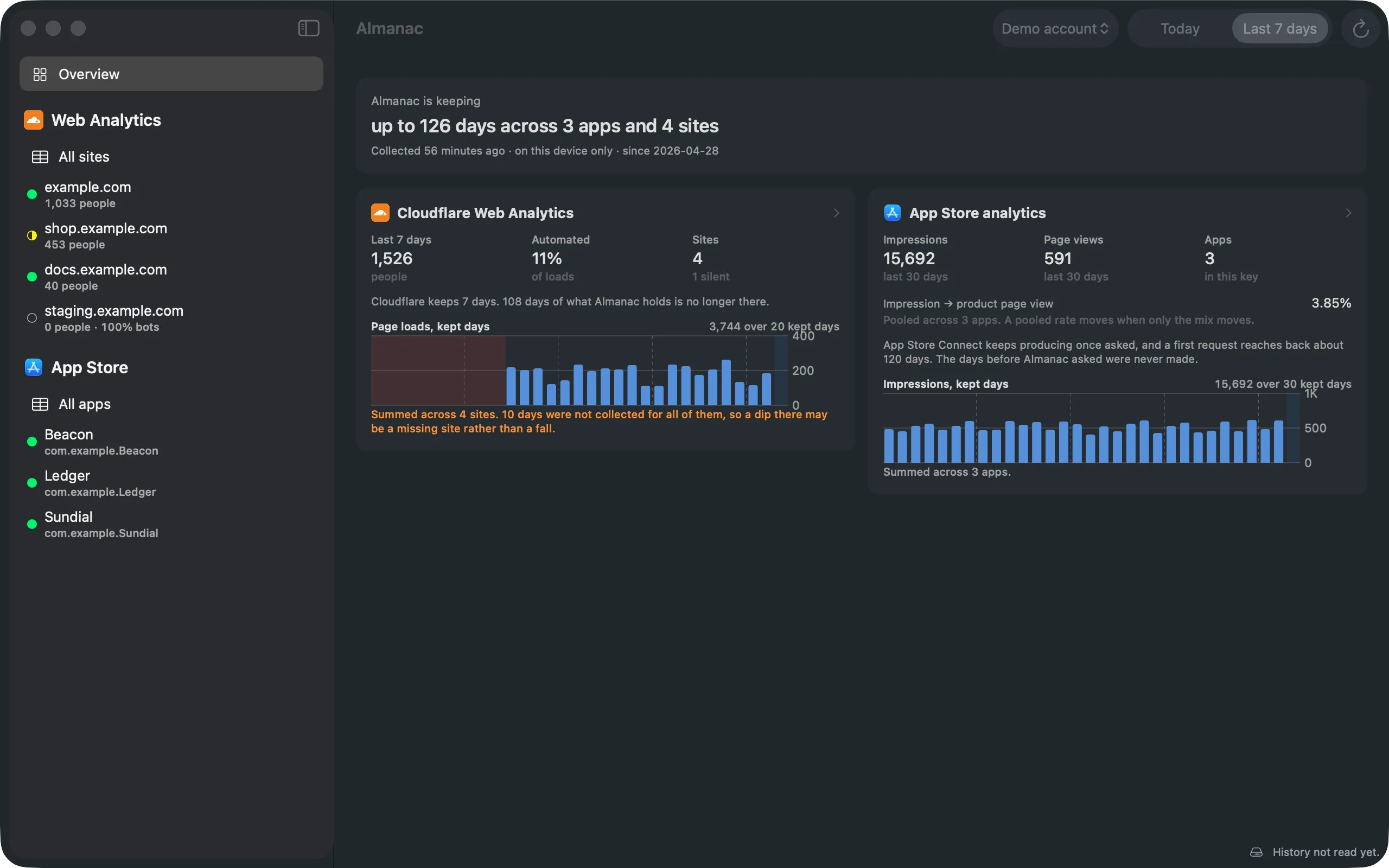
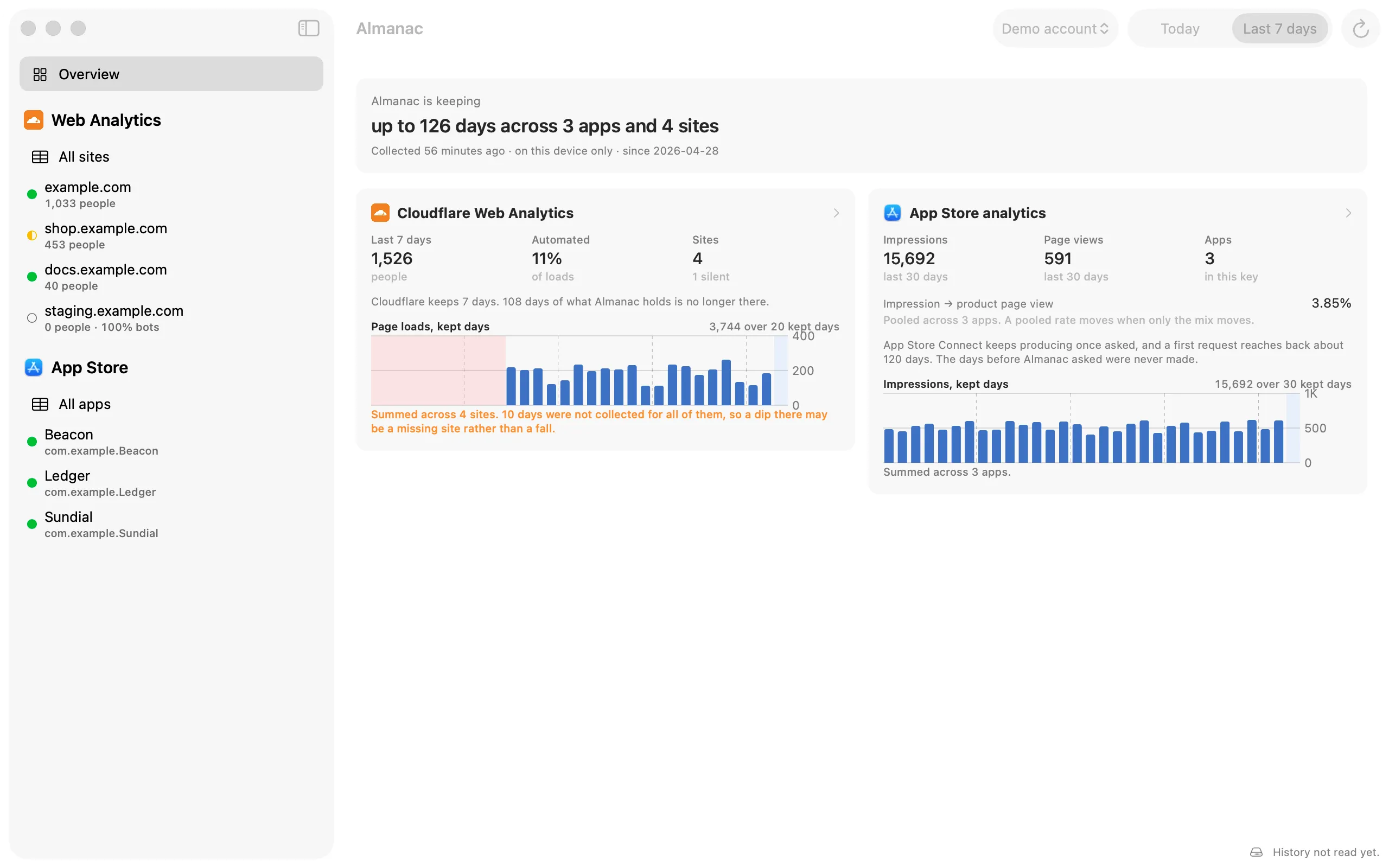
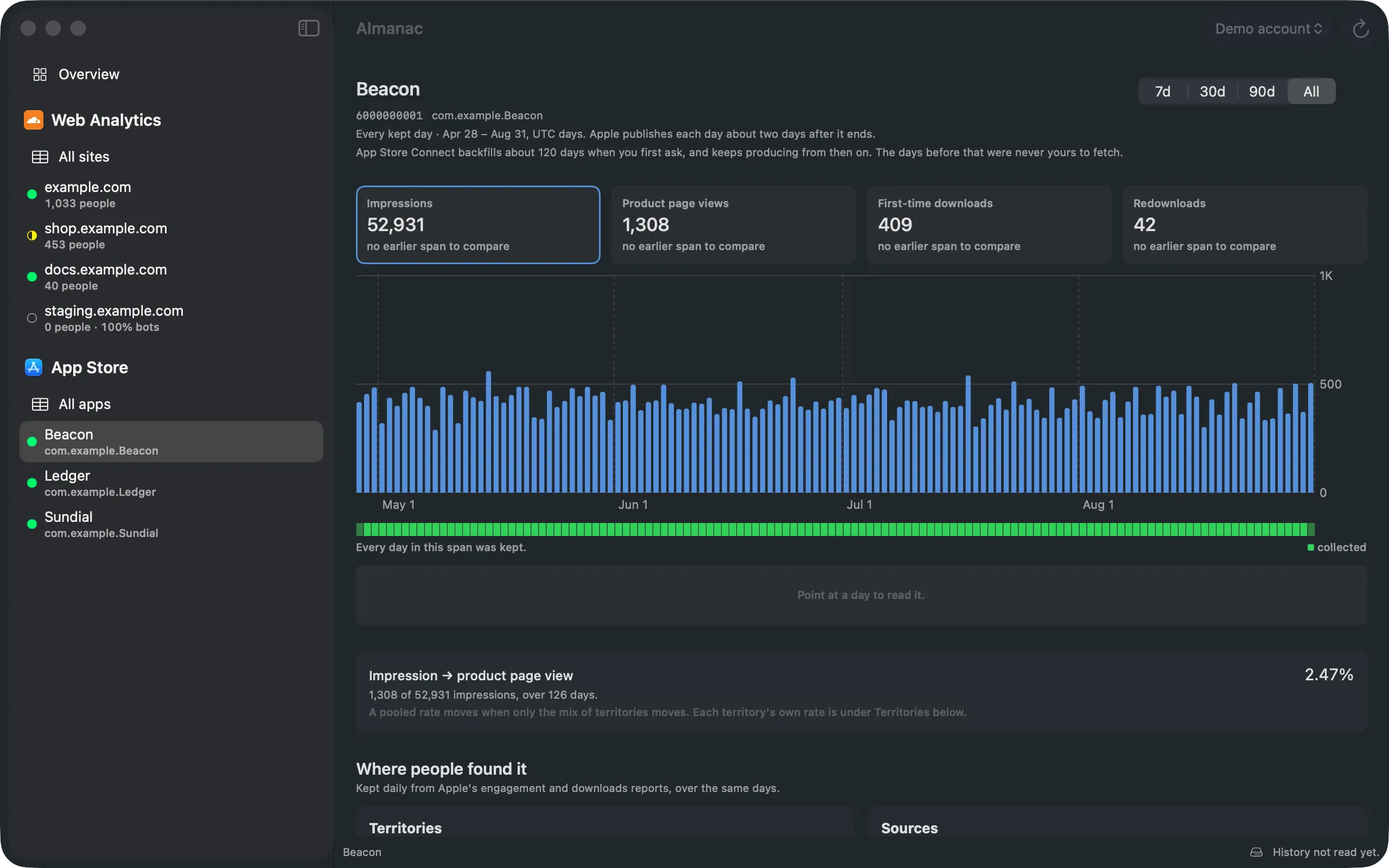
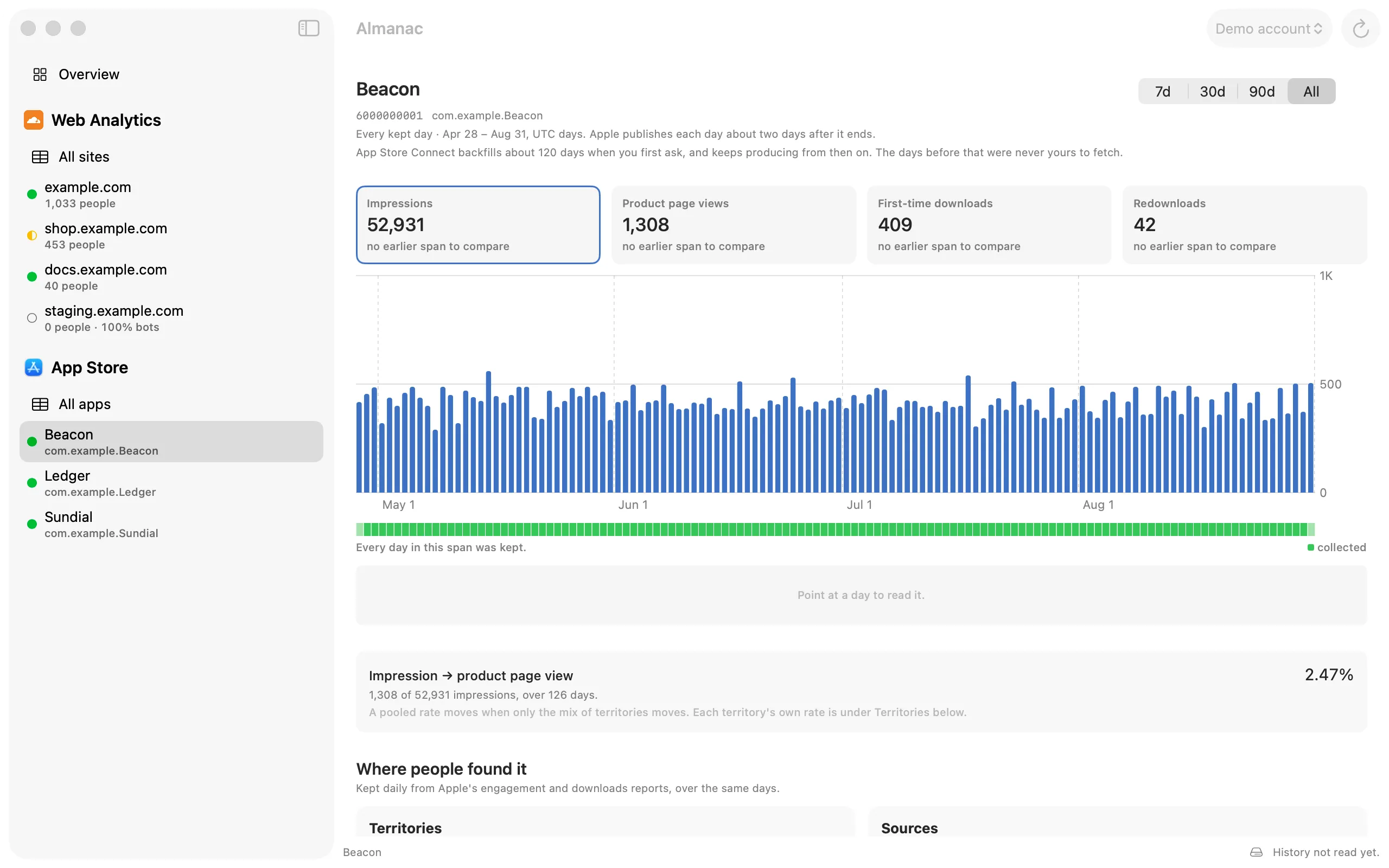
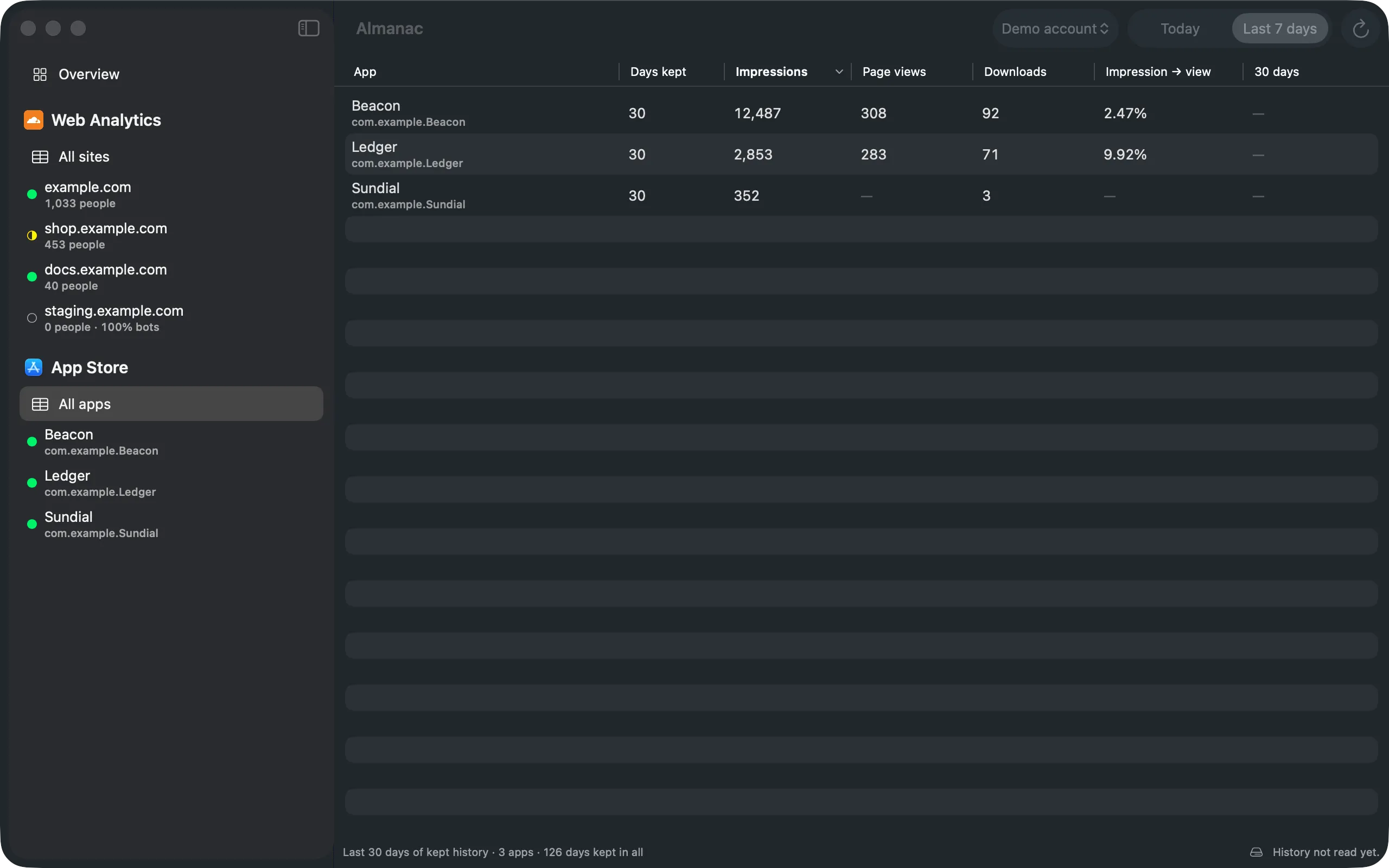
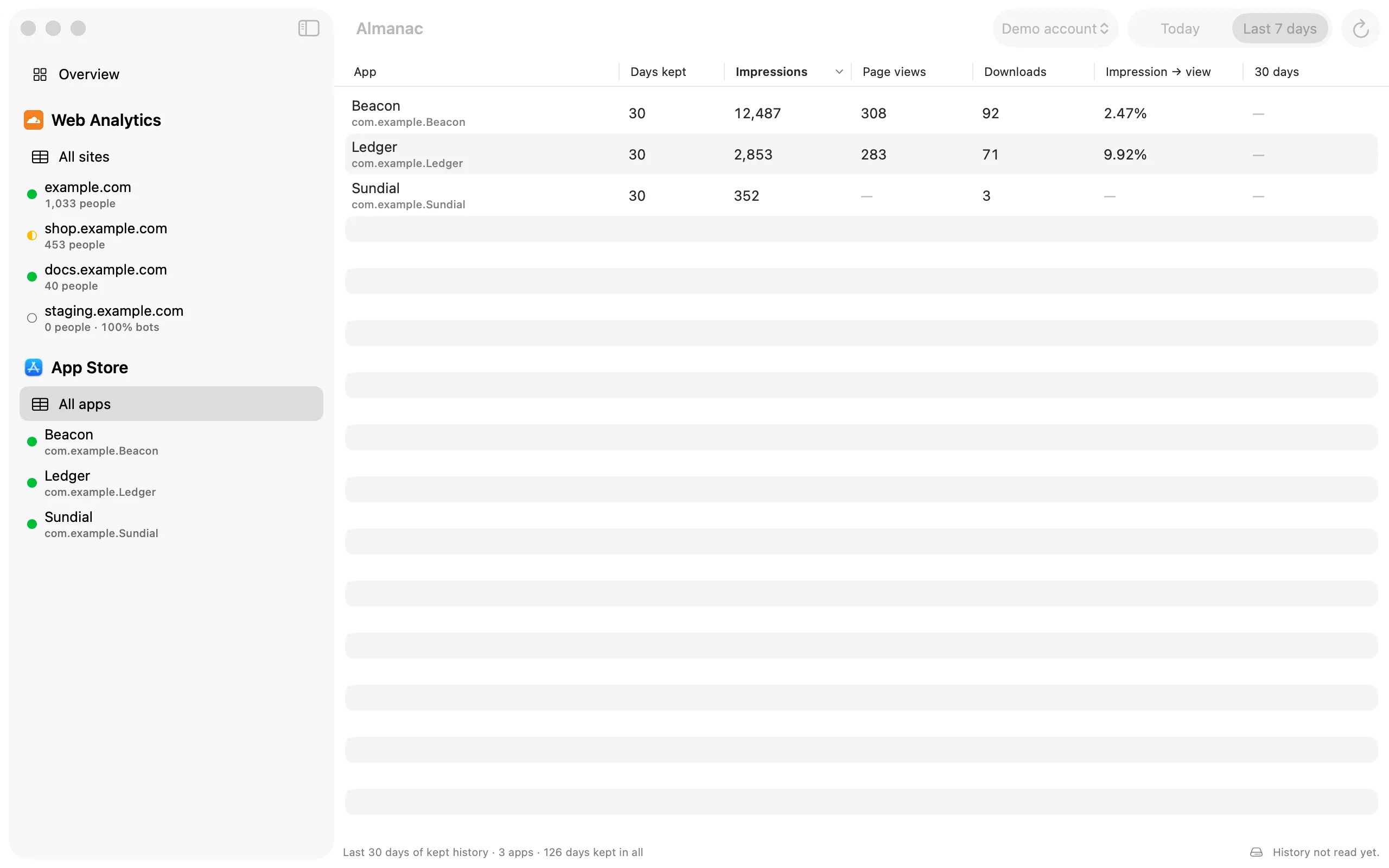
Almanac's overview: 126 days kept across three apps and four sites, with Cloudflare page loads and App Store impressions side by side. Almanac's overview: 126 days kept across three apps and four sites, with Cloudflare page loads and App Store impressions side by side.
Overview · demo account · the shaded days are ones Cloudflare no longer has
Cloudflare Web Analytics
7 days
of unsampled page loads
App Store Connect
~120 days
back, the first time you ask
Stripe
No daily sums
every charge, never a day
Almanac
Every day
from the day you install
sec · 02 / the cliff
The reason it exists

The seven-day
cliff.

Past retention, Cloudflare answers from a one-in-ten sample, and a quiet site returns zero rows, not fewer. The response still says success: true. Almanac collects every day while the data still exists, so the history is there when you need it.

Page loads · one site · 90 days
90 days ago retention window → today

The same account, collected daily and kept. Two identical requests minutes apart can land on either side of the boundary, so Almanac queries an hour inside it and refuses to write an estimate into the record.

What the dashboard can answer today. Everything older than the retention window is gone: not sparse, not estimated, gone. Measured on one quiet site: 5 page loads readable at seven days, 0 at eight.

sec · 03 / sources
Three sources, one vault

Each vendor forgets
differently.

Almanac writes a day down once it is final for that source, by rules that refuse estimates. Each source keeps its own name and its own units; nothing is blended into one number that none of them would recognise.

i.

Cloudflare Web Analytics

Sign in with Cloudflare

The vendor Deletes unsampled real-user data after seven days.

Almanac keeps
  • + Human page loads, split from automation
  • + LCP, INP, CLS and TTFB at P75, with Cloudflare’s own rating
  • + Every site in the account, with a health badge
  • + Where people came from: sources, pages, countries
ii.

App Store Connect

Connect an API key (.p8)

The vendor A first request reaches back about 120 days. The days before were never yours to fetch.

Almanac keeps
  • + Impressions and product page views
  • + First-time downloads, redownloads and updates
  • + Sales, from Sales and Trends and Analytics both
  • + Territories and sources, per app, per day
iii.

Stripe

A live restricted key, never a secret key

The vendor Keeps every transaction, and never adds up a day for you.

Almanac keeps
  • + Gross, fees, net, refunds and disputes as they settled
  • + The checkout funnel: created, completed, paid, expired
  • + Per product
  • + Each currency apart, because euros and dollars do not add
sec · 04 / the app
On the Mac

Every day accounted for.

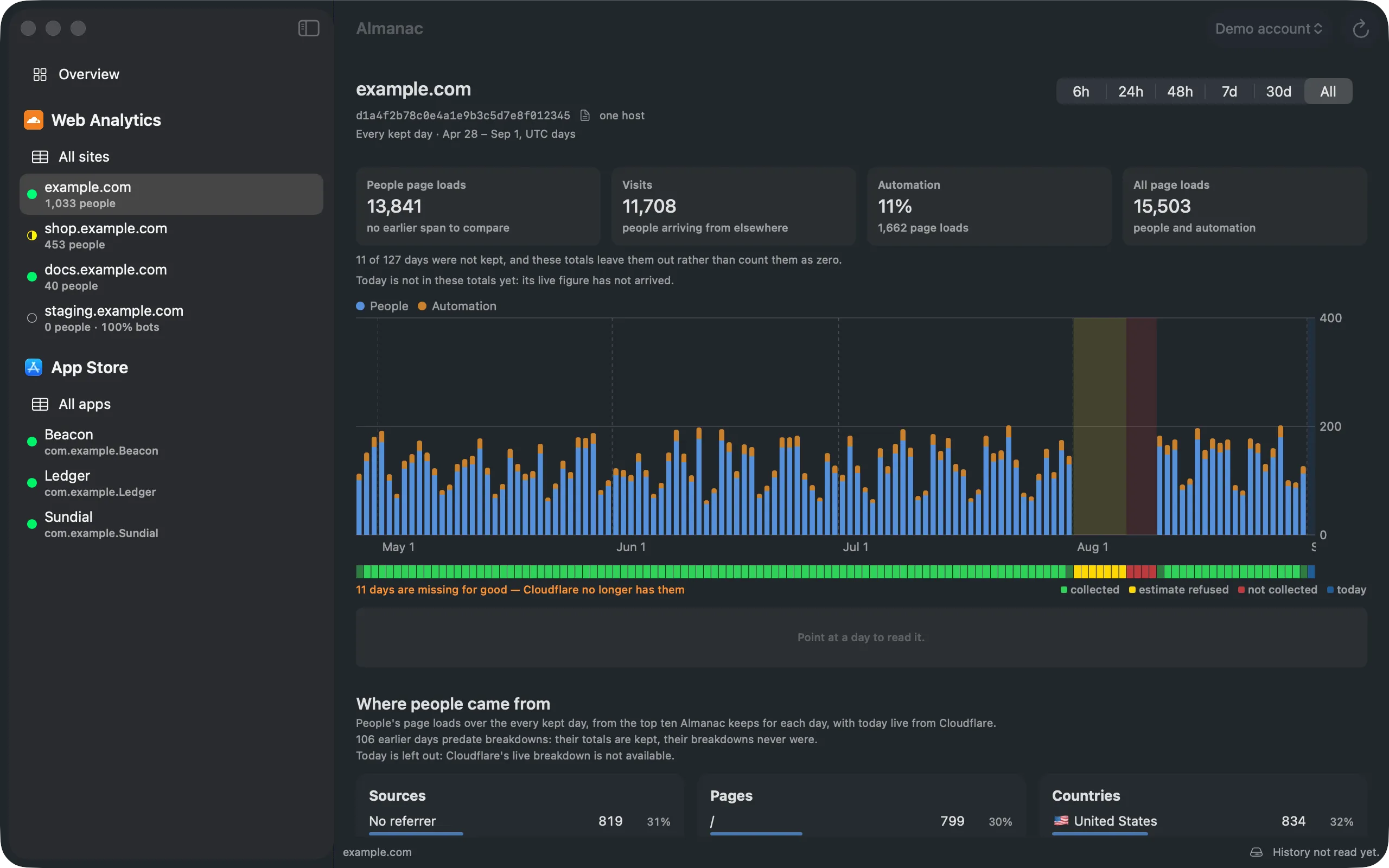
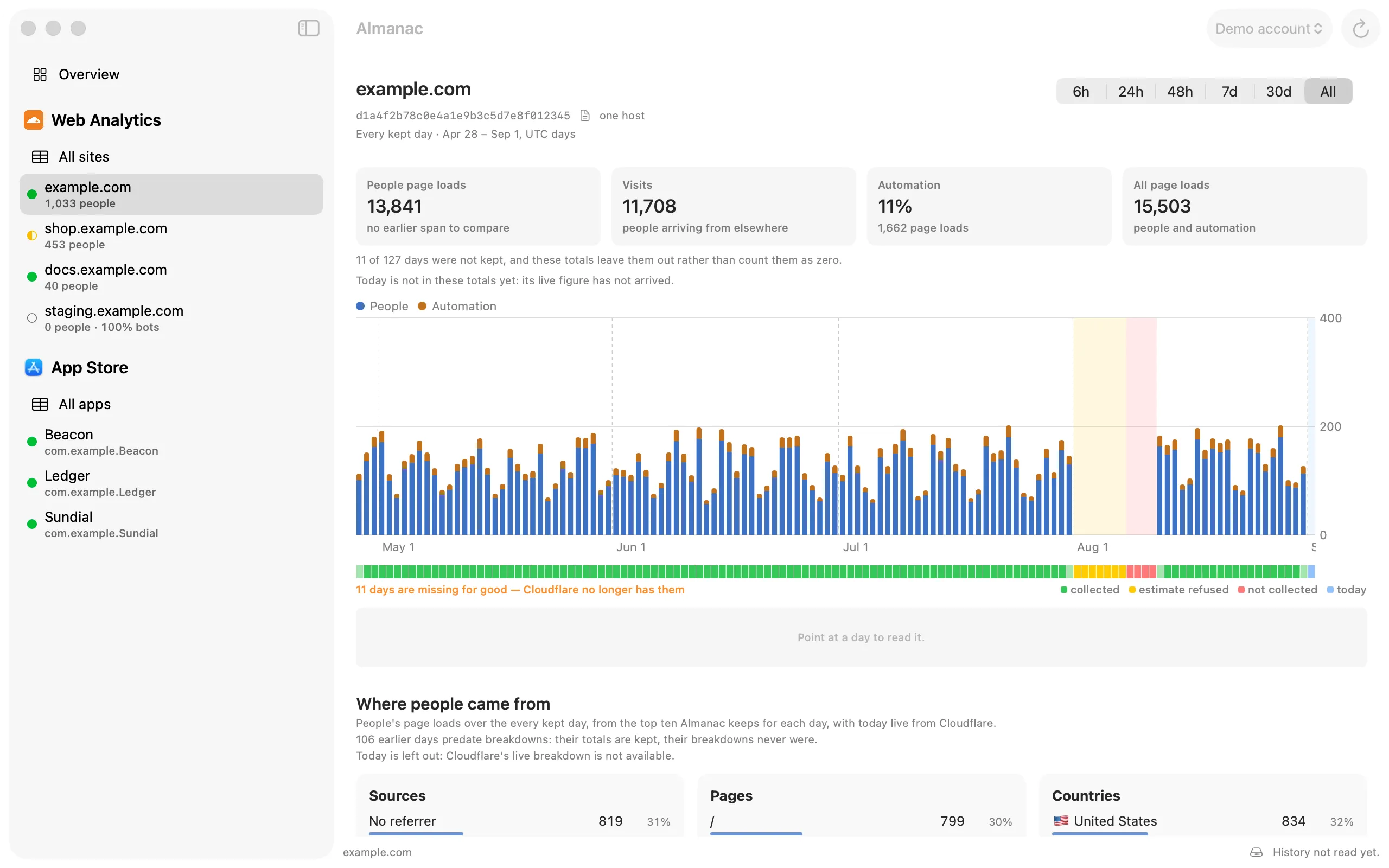
Every kept day of one site, people and automation stacked. The coverage strip under the chart marks each day collected, refused as an estimate, or missed for good. Every kept day of one site, people and automation stacked. The coverage strip under the chart marks each day collected, refused as an estimate, or missed for good.
Every kept day of one site, people and automation stacked. The coverage strip under the chart marks each day collected, refused as an estimate, or missed for good.
sec · 05 / features
What the dashboards won’t tell you

Honest numbers,
with their reasons.

A history is only worth keeping if you can trust it. So Almanac never passes a gap off as a zero, never counts a headless browser as a person, and puts a reason behind every dash.

i.

People, not bots

Headless Chrome runs JavaScript and beacons exactly like a person, and the dashboard counts it as a visitor. Almanac splits human page loads from automation on every site and every day, and shows both, people first.

9 of 14
loads in one week across our own sites were never people
ii.

A gap is never a zero

A coverage strip marks each day collected, silent, refused or missed. Charts break at a gap instead of drawing across it, and sampled responses arrive as one quiet sentence, not a number you would mistake for a measurement.

collected estimate refused missed
iii.

Always in the menu bar

With seven days of retention, eight days away is a permanent hole, so something has to keep running. Almanac stays in the menu bar with its window closed, collects on launch and every six hours, and can start at login.

Last collected
4 sites · 3 apps · 56 min ago
Collect Now

The portfolio at a glance

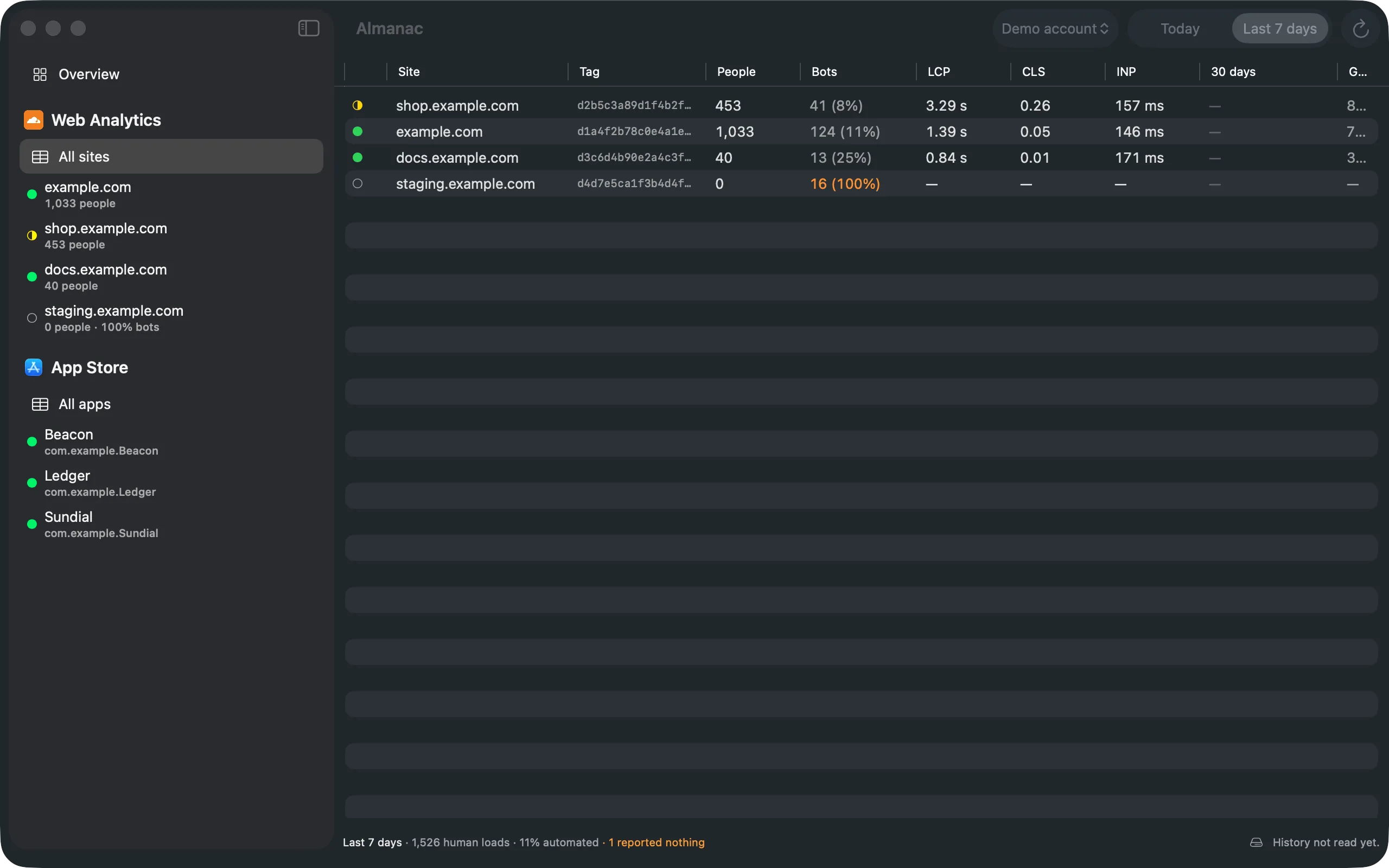
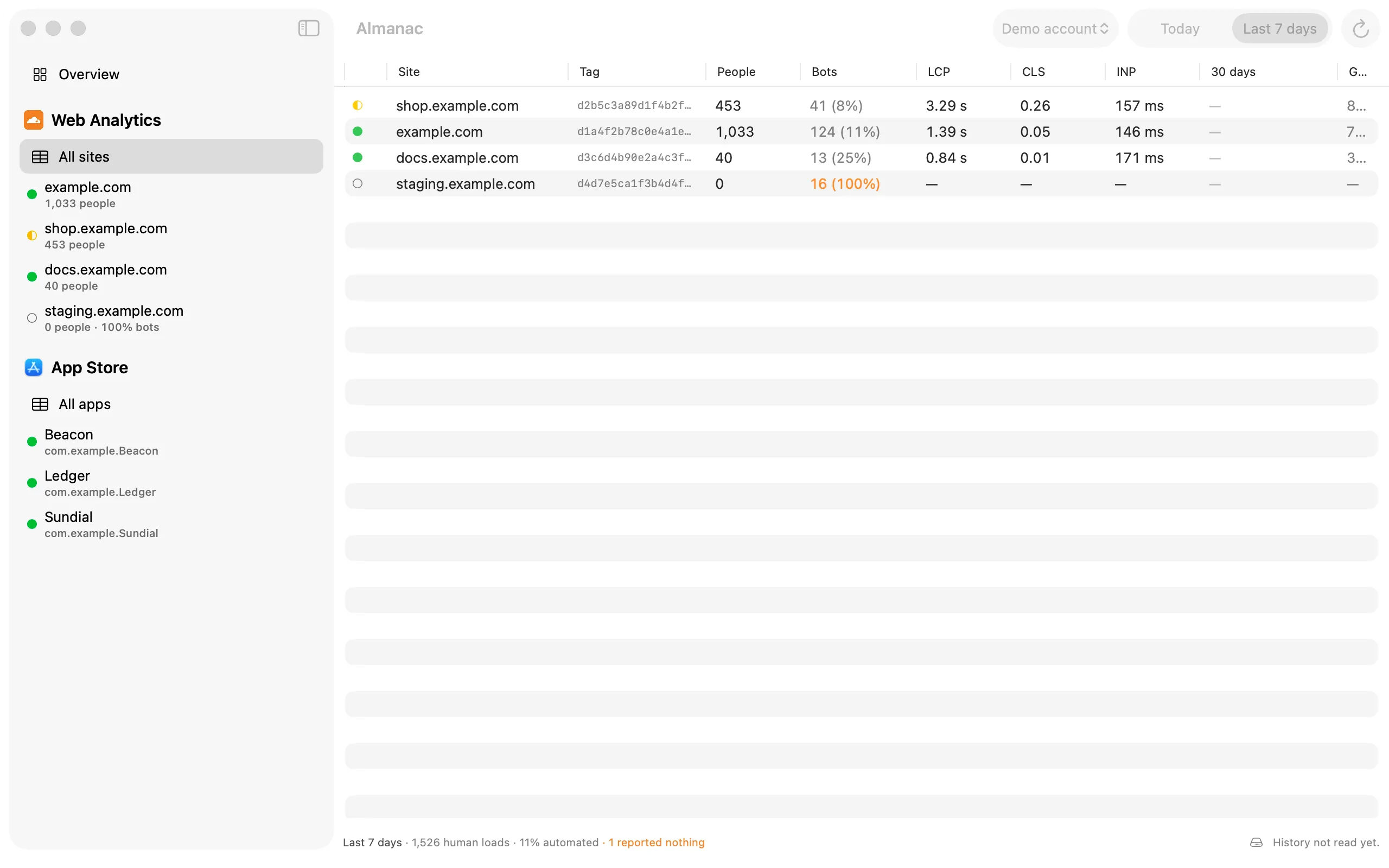
Every site in the account in one table, with a health badge you can sort worst first. Open a badge to see which metric earned it.

Your agent can read it

A built-in MCP server on the Mac lets any MCP client query the history you have kept, read-only unless you allow more. Every number it hands over says where it came from.

Yours to take

CSV or JSON of everything you can see, with the collection record beside the rows so a gap in the file stays readable. Export is never locked.

iPhone and iPad

The same history,
in your pocket.

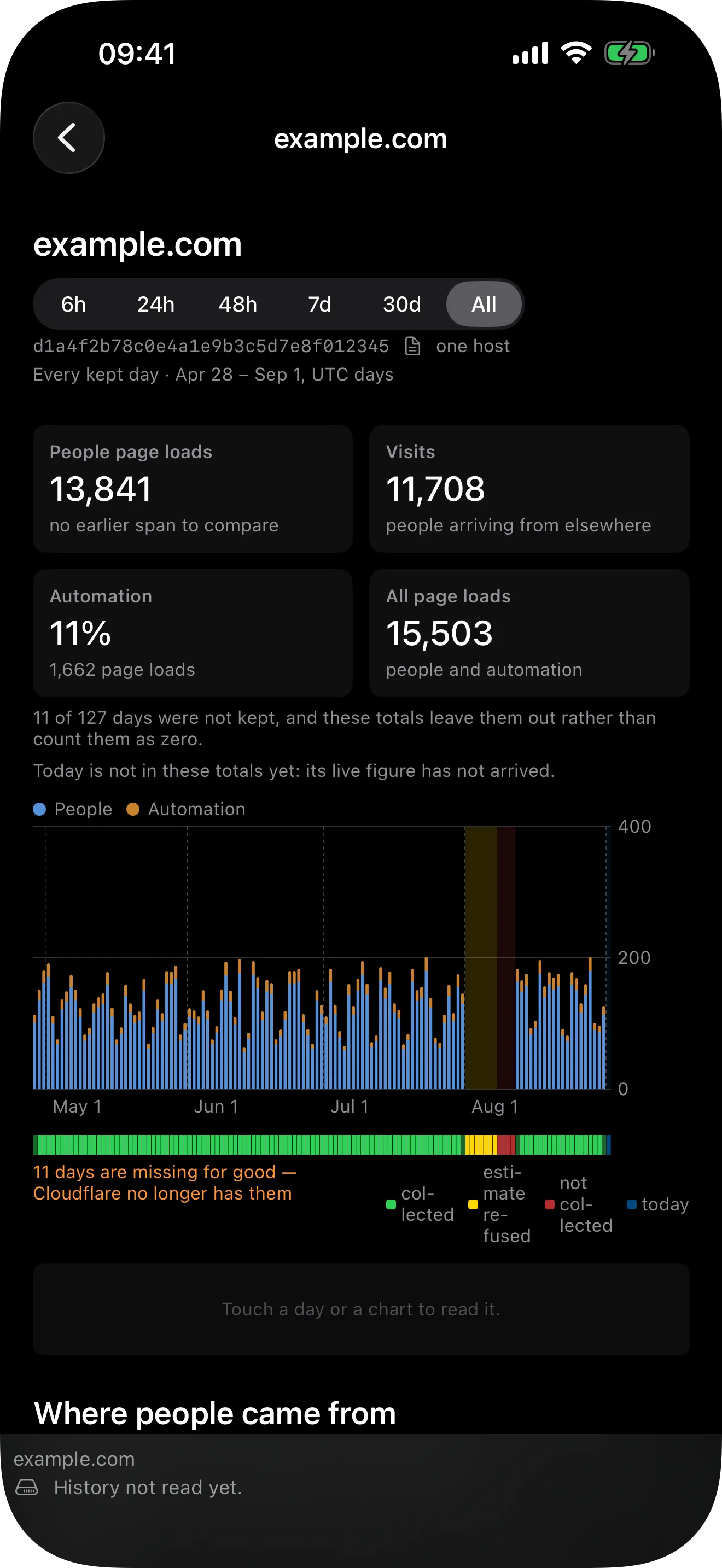
Almanac on iPhone and iPad shows the history your Mac keeps, synced through your private iCloud database, and collects whenever you open it. Connect Cloudflare, App Store Connect or Stripe from either. The Mac is the one to keep running: it collects on its own.

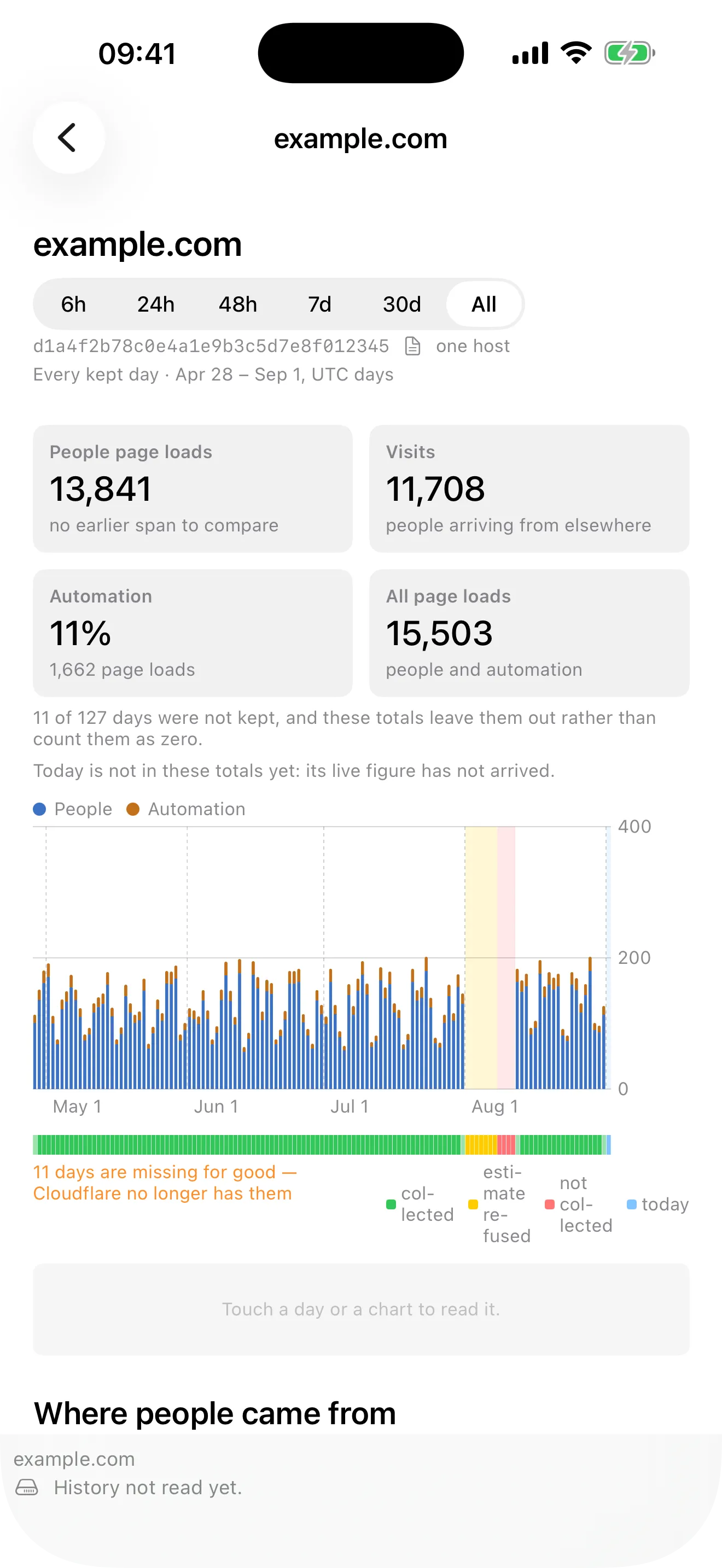
Almanac on iPhone: one site's kept days and its coverage strip. Almanac on iPhone: one site's kept days and its coverage strip.
sec · 06 / field notes
Field notes

Five ways the API
lies quietly.

Every one of these was measured against a live Cloudflare account. Each returns an ordinary success carrying less than the truth, which is why they are encoded in Almanac instead of being rediscovered by you.

  1. 01

    The cliff moves

    Two identical calls minutes apart: 20 unsampled rows, then 4 rows at one-in-ten with every bot row gone and counts rounded to tens. Both ordinary successes. Almanac queries an hour inside the boundary and records the sampling it was given.

  2. 02

    CLS is unitless

    Every other timing is in microseconds. Dividing CLS by a million turns a genuinely poor 0.44 into a perfect-looking 0.0004: a bug that makes a broken page look flawless.

  3. 03

    Two different nulls

    Zero means too few samples to compute; minus one means the metric was never recorded. Both are a dash, never a number, and Almanac tells you which kind of dash it is.

  4. 04

    “limit” drops the quiet rows

    Truncation happens after sorting by volume, so what falls off is the quietest site on the quietest day. Measured: a capped query reported 39 page loads where the truth was 101, with no error.

  5. 05

    “count” is not the denominator

    One row measured count 10, LCP total 9, INP total 1. Any “N of M were good” has to divide by the metric’s own total, or a site with one interaction reads as ten.

sec · 07 / privacy
Private by construction

Your numbers stay
yours.

Almanac collects no data about you. There is nothing of ours in the path between your device and your vendors. Read the privacy policy.

Server
None
Almanac has no server and no account of its own.
Your keys
Keychain
Cloudflare sign-in, App Store Connect and Stripe keys.
Your history
Your iCloud
On your devices and in your private CloudKit database.
Requests
Direct
From your device straight to Cloudflare, Apple or Stripe.
sec · 08 / pricing
Free, with a Pro unlock

One price,
paid once.

Pro gates the view, never the record. Nothing is hidden in the free tier, only shortened, so the upgrade shows you history you already own.

Free
Almanac
$0 free to download

A real product, not a trial. Collection runs for everyone from the day you install, whether or not you ever pay.

  • + Connect every source, site and app
  • + The full live portfolio, every site
  • + People and bots, rated vitals, the reason behind every dash
  • + The last 30 days of history for one subject per source
  • + Menu bar collector and MCP server
  • + Export of everything you can see
Pro
Almanac Pro
$5.99 one-time, no subscription

Everything Almanac has kept, for every site, app and product, as far back as it goes. Those days are waiting when you upgrade, because they were collected all along.

  • + Everything in Free
  • + Unlimited history, every subject, every source
  • + Trends and period comparison past 30 days
  • + Your App Store Connect key synced through iCloud Keychain
  • + One purchase for Mac, iPhone and iPad on the same Apple ID
sec · 09 / faq
Honest answers

Questions,
answered.

The ones we get most. If yours isn't here, write to us.

Q · 01

Why can’t Almanac show me last year?

Because nobody kept it. Cloudflare deletes unsampled Web Analytics data after seven days, and App Store Connect reaches back about 120 days on a first request. Almanac starts keeping from the day you install it and never lets go, so the history grows every day it runs. Anything older than what each vendor still serves is gone for everyone.

Q · 02

Does my data go through your servers?

No. Almanac has no server and no account of its own. Every request goes straight from your device to Cloudflare, Apple or Stripe, your keys live in the Keychain, and your history stays on your devices and in your private iCloud database.

Q · 03

Why does Stripe need a restricted key?

Almanac refuses a secret key, because a secret key can move money. A live restricted key with read permissions is enough. A key without the Checkout permission still collects your payments; only the checkout funnel is left out.

Q · 04

Does the free version collect too?

Yes, always. Collection runs for everyone from the day you install. The free tier shows the full live portfolio and the last 30 days of history for one subject per source; Pro shows everything that was kept, for every subject, as far back as it goes.

Q · 05

What if my Mac is off for a few days?

Nothing, as long as it runs again within six days. Every run re-reads every day Cloudflare still serves, so one run in any six-day span keeps the history gapless, and a Mac asleep over a weekend loses nothing. Longer than that leaves a gap, and Almanac marks it as a gap rather than drawing it as a zero. iPhone and iPad collect whenever you open them, too.

Q · 06

Is one purchase enough for Mac, iPhone and iPad?

Yes. Almanac Pro is a one-time purchase that unlocks on Mac, iPhone and iPad signed in to the same Apple ID. There is no subscription.

Q · 07

Can I get my data out?

Yes, and it is never locked. Export CSV or JSON of everything you can see, with the collection record alongside so a gap in the file stays readable. On the Mac, a built-in MCP server also lets an MCP client on the same machine read your history.

Q · 08

Is Almanac made by Cloudflare?

No. Almanac is an independent app by Magenta Creations, not affiliated with Cloudflare, Apple or Stripe. It needs a Cloudflare account with Web Analytics enabled to read web vitals.

sec · 10 / also
Also from Magenta Creations

Two more native Mac apps for your Cloudflare account.

D1Explorer — Cloudflare D1, native.

Browse, query and edit Cloudflare D1 databases and local SQLite files in a native Mac client, instead of the wrangler CLI or the dashboard.

R2Explorer — Cloudflare R2, native.

Browse, upload and manage Cloudflare R2 and any S3-compatible storage from a sandboxed, Keychain-secured Mac app.

sec · 11 / start keeping

Every day you wait
is a day gone.

Almanac can only keep what the vendors still hold, so the history starts the day you install it. Free to download, with a one-time $5.99 Pro unlock for everything it has kept.

macOS 26 · iOS 26 Mac · iPhone · iPad v1.0.2